
Case Study

Live at taskgrid.io

We built TaskGrid, a real-time project management SaaS, in Vue 3 & Nuxt. Now we can build your product.

TaskGrid is our own product. Our team designed, built and still runs every part of it: the Nuxt web app, the real-time API, Slack & GitHub integrations, Stripe billing, a desktop app and the admin console. The same senior Vue.js engineers are available for your team.

  • Vue 3.5
  • Nuxt 3 & 4
  • Pinia
  • PrimeVue 4
  • TipTap 3
  • Socket.IO
  • Tauri
  • NestJS
  • MongoDB
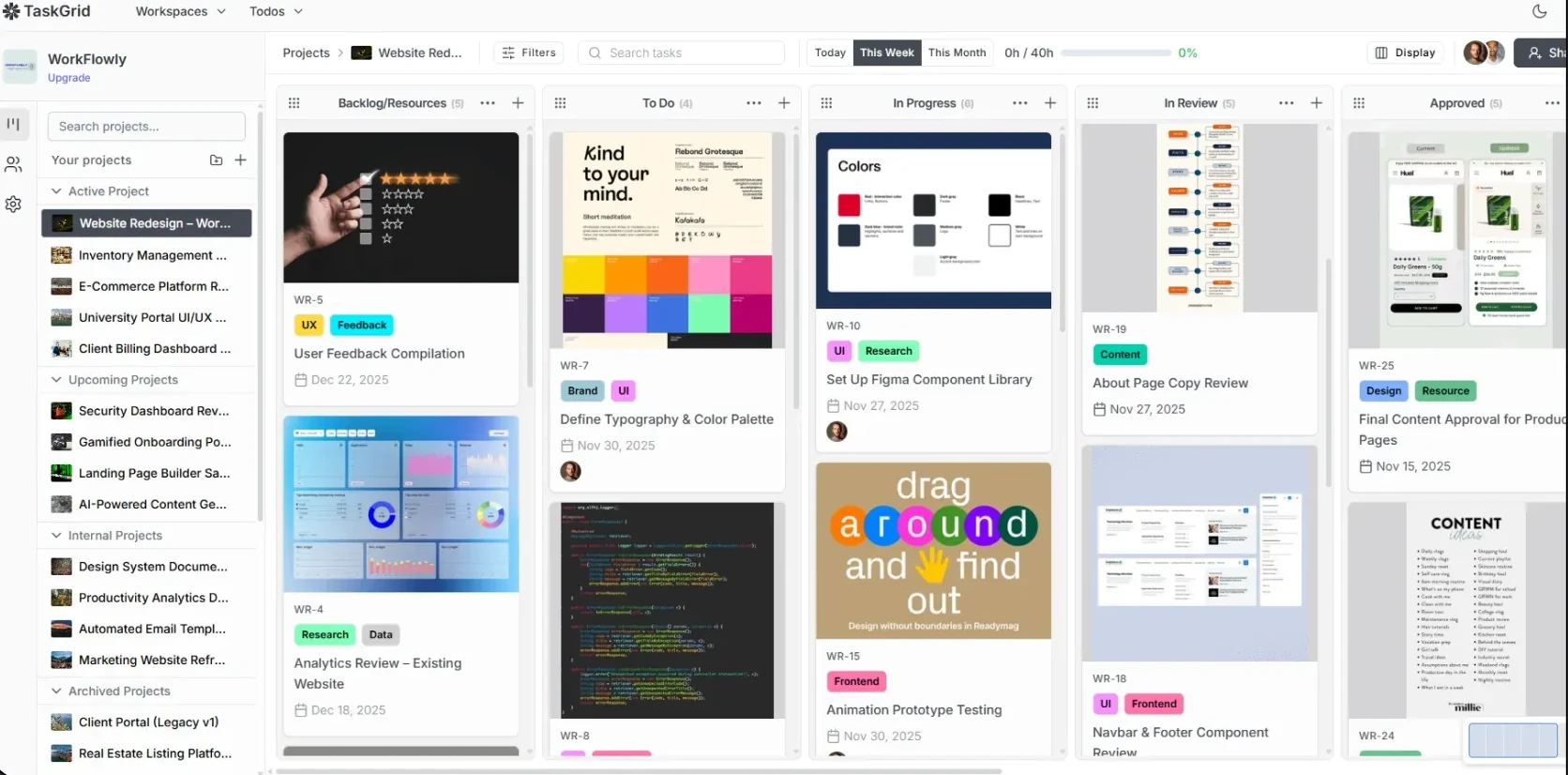
TaskGrid kanban board built with Vue 3 and Nuxt, with columns of task cards showing labels, assignees and due dates
Real-time Board changes reach everyone through Socket.IO rooms. No polling, no refresh.
Drag & drop Base-62 ordering keys: a move writes one row, not the whole column
Time tracking Start dates, due dates and timers right on the card
100×
Usage growth
since our previous case study
32 days
From first commit to first release
Nov 3 → Dec 4, 2024
190
Tagged releases
shipped continuously since Dec 2024
420
Vue components
57K lines of .vue

A product we own, not a project we handed off

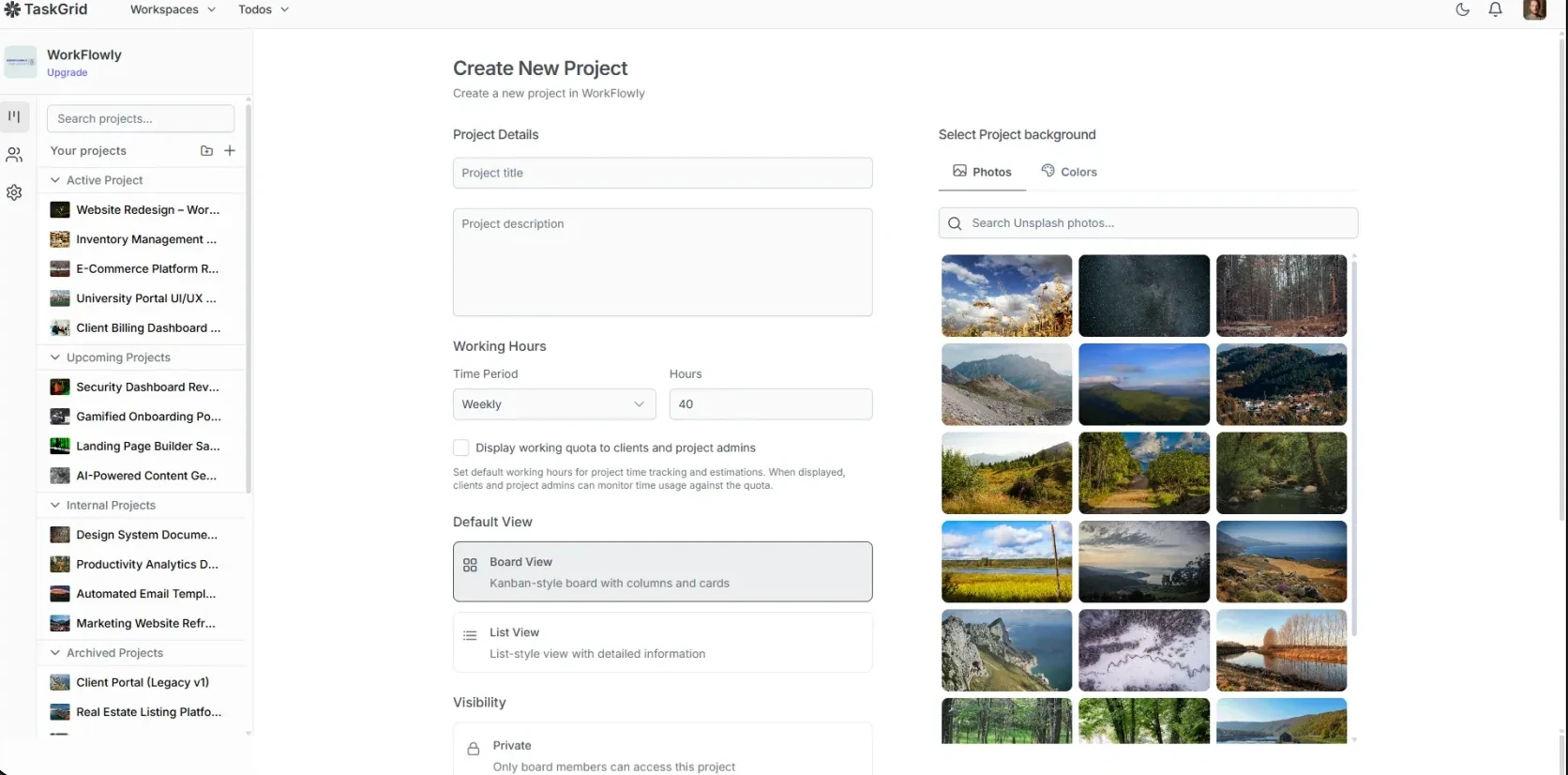
TaskGrid is an all-in-one work management platform with kanban boards, lists, timelines, built-in time tracking, task chat and integrations. Agencies and remote teams use it every day. Its pitch is "free for 5 users, unlimited everything", so it has to feel faster and simpler than the tools it replaces.

Most agency case studies describe a project that shipped and was handed off. TaskGrid is different: we've built and run it continuously since November 2024, and we've lived with every architecture decision through 190 releases, new platforms and a 100× increase in usage.

So this page isn't a mock-up of what we could build. It's the codebase our engineers work in every day.

Product
TaskGrid: project and task management SaaS
Our role
Product, architecture, frontend, backend, DevOps, ongoing ownership
Frontend
Vue 3.5 · Nuxt 3 & 4 · Pinia · PrimeVue 4 · TipTap 3 · ECharts · PWA
Backend
Node.js (Moleculer) · NestJS · MongoDB · Redis/Bull · Socket.IO
Integrations
Slack & GitHub live · Jira, Asana, Trello, Monday, Google Calendar connectors built
Platforms
Web (PWA) · macOS & Windows (Tauri) · Chrome extension · Android (in testing)
Status
Live at taskgrid.io

From idea to first release in 32 days. Still shipping today.

This is the process we used on TaskGrid, and it's the one we bring to client products. Each step shows what happened on TaskGrid, with dates from the git history, and what you get at that stage.

TaskGrid's first 32 daysNov 3 → Dec 4, 2024
DAY 1 Clickable Nuxt prototype
DAY 9 API work begins
DAY 16 Drag-and-drop board
DAY 26 Time tracking
DAY 30 Real-time updates
DAY 32 v0.0.1 + CI/CD
01

Plan

Week 1
On TaskGrid

Start with who it's for and why they'd switch. TaskGrid is for agencies, remote teams, freelancers and startups, positioned as a simpler, free alternative to Trello, Asana and Jira. The first API commits (Days 9–17) were the multi-tenant data model behind that: workspaces, members, invitations and roles.

AudienceAgencies · remote teams · freelancers · startups
PositionSimpler, free alternative to Trello / Asana / Jira
ModelFree for 5 users · unlimited everything
AccessWorkspaces → boards · 5 workspace roles · 4 board roles
v1 scopeBoards · tasks · time tracking · real-time
What you get
  • Product brief and MVP scope: what ships first, what waits
  • Data model and permissions plan
  • Stack decisions: Nuxt SSR or SPA, state, real-time, hosting
02

Build the core flow first

Week 2
On TaskGrid

Onboarding decides whether a SaaS keeps its users, so the path from a stranger to an active team was built first, end to end: sign up, verify, create a workspace, invite teammates, land on a board.

  1. Sign up
  2. Verify email
  3. Create workspace
  4. Invite team
  5. Onboarding
  6. First board
Core flow as shipped · Nov 9–14, 2024
What you get
  • User flows for every core journey
  • Empty states, errors and permissions handled before they ship
03

Prototype in real Vue

TaskGrid: 2 days
On TaskGrid

By Day 2 there was a clickable Nuxt prototype with a workspace switcher, sidebar, kanban board and task modal, running on mock data in Pinia. The backend repository didn't exist yet. As the API came online, the same components and stores were wired to it. Nothing was thrown away.

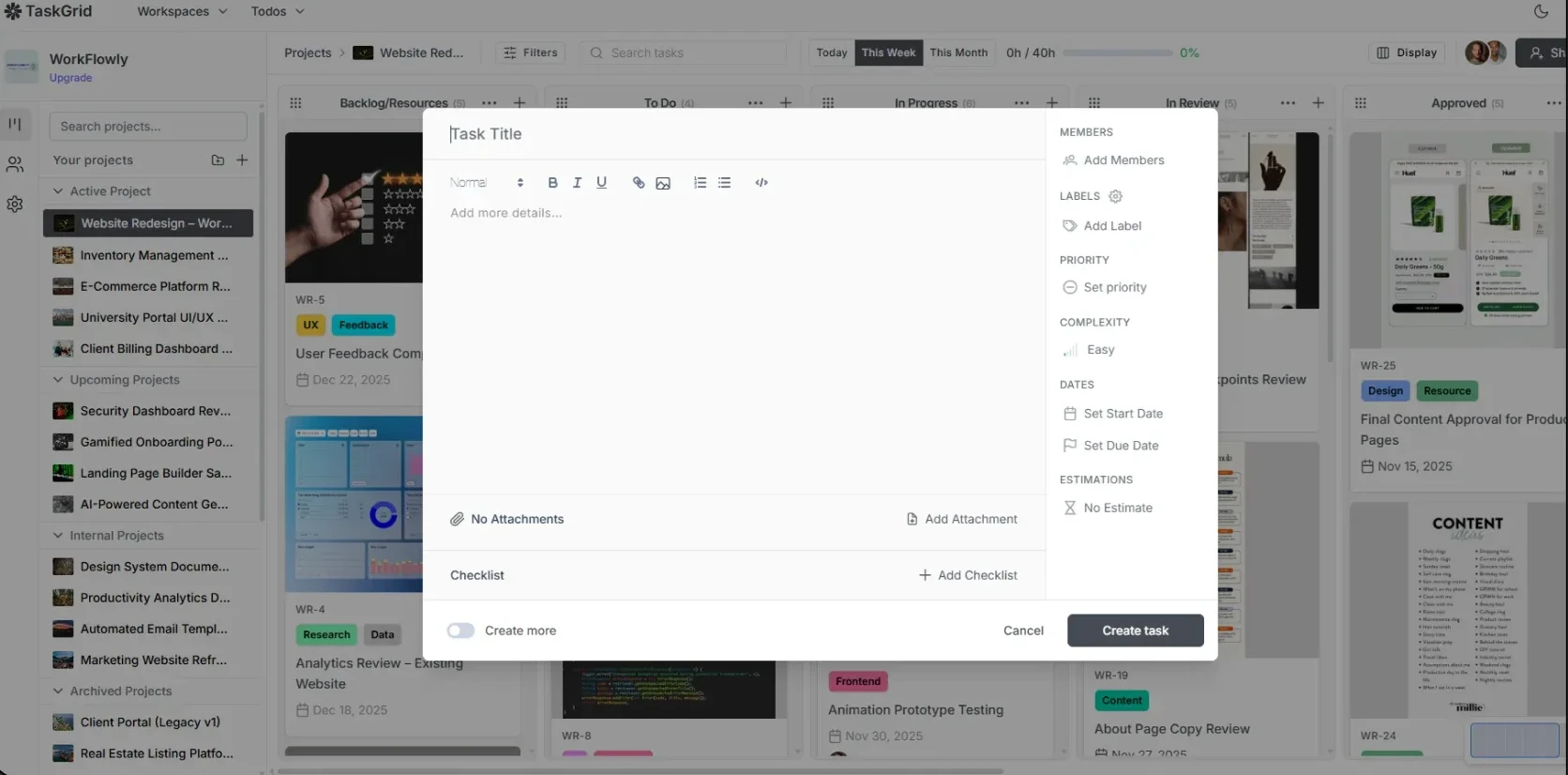
$ git log --reversereal history
80d08d95  2024-11-03  initialize Nuxt.js application…
a4e356a9  2024-11-03  add Pinia store for workspace management…
578891cf  2024-11-04  … implement Kanban board layout…
293d63cf  2024-11-04  … enhance Kanban board with modal for task details…
          ── backend repo created one week later ──
8ef87f5   2024-11-11  [tapi] init
What you get
  • A clickable prototype in the real stack: Vue 3, Nuxt, Pinia
  • Stakeholder feedback on something they can click
  • Code that becomes the product, not a throwaway mock-up
04

Build the MVP

TaskGrid: ~4 weeks
On TaskGrid

Frontend and API were built side by side, one working slice at a time.

  1. Login, sign-up, email verification, workspace creation
  2. API live · invitations · onboarding · access middleware
  3. Kanban store, drag and drop, roles and board sharing
  4. Time tracking
  5. Socket.IO real-time updates
What you get
  • Clean, review-ready pull requests
  • Async daily updates and a weekly progress review
05

Ship to production

TaskGrid: Day 32
On TaskGrid

On Day 32 we tagged v0.0.1, the same commit that added a GitHub Actions pipeline. Releases have been automated ever since: a version tag builds the Nuxt app, syncs it to S3 with split cache headers and invalidates CloudFront. Dev and production are fully separate, with analytics and session monitoring wired in.

  1. git tag v*
  2. GitHub Actions
  3. nuxi generate
  4. S3 sync
  5. CloudFront
What you get
  • CI/CD, so a release is one tag, not one afternoon
  • Separate dev and production environments
  • Analytics and session monitoring
  • SEO and performance basics for public pages
06

Iterate and scale

Ongoing since Dec 2024
On TaskGrid

Launch was the start. Over 190 releases we replaced what no longer fit instead of patching around it: Quill became TipTap, native drag-and-drop became a custom engine, and a single web app became a platform with a desktop app, integrations and an admin console. We did it without a rewrite, because the early foundations held.

190releases
100×usage growth
6client apps
  1. LexoRank ordering and virtualized columns
  2. Stripe billing
  3. Quill → TipTap editor
  4. Sprints, Gantt timeline, instant loads
  5. Desktop app, Slack and GitHub apps
What you get
  • A team that stays after launch
  • Roadmap planning with real trade-offs
  • Performance work, refactors and migrations before they become emergencies

Hard engineering problems we've solved in production

Any agency can put "Vue expert" on a website. These are the real problems we hit building TaskGrid, how we solved each one, and where the solution lives in the codebase.

01

Reordering cards without renumbering the whole column

LexoRankBase-62Pinia
Problem
With integer positions, dropping a card between two others means rewriting every card below it. Every drag gets slow, it gets expensive at scale, and two people dragging at once creates race conditions.
How we solved it
LexoRank-style ordering: 8-character base-62 keys with gaps of one billion between neighbours. A drop takes the midpoint of its two neighbours, so one write, not N. If a gap runs out, the store rebalances that column and broadcasts COLUMN_REBALANCED so every open board stays in sync. Multi-card drags rebalance first, so a batch never runs out of room halfway.

Where this applies to you Any list users can reorder (backlogs, playlists, CMS blocks, pipelines) stays fast and conflict-free as it grows.

utils/lexorank.jsL78–100
static getMiddleRankNumeric(prev = '', next = '') {
  // …
  const a = this.positionToNumber(prev)
  const b = this.positionToNumber(next)
  // …

  // If no numeric space between them, caller must rebalance
  if (b - a <= 1) {
    return null
  }

  const mid = Math.floor((a + b) / 2)
  // …
02

A custom drag-and-drop engine that works on virtualized lists

ComposablesrequestAnimationFramevue-virtual-scroller
Problem
Native HTML5 drag and drop feels clunky, and off-the-shelf libraries break once columns are virtualized: the card you're hovering over may not even be in the DOM. Large boards need both virtualization and smooth dragging.
How we solved it
Our own pointer-driven engine as Vue composables, about 1,750 lines. Hit-testing is throttled with requestAnimationFrame, the ghost card follows the cursor via CSS variables, and a 2px dead zone at each drop boundary stops flicker. The board auto-scrolls on both axes and cards settle with a staggered animation, on top of DynamicScroller columns with variable-height cards.

Where this applies to you Complex interactions that stay smooth with thousands of items, which is where most Vue apps start to lag.

Drag engine
Usetaskdragdropsortable.js · 1,045 lines
Column drag
useColumnDragDrop.js · 707 lines
Rendering
Virtualized columns, variable-height cards
Also fixed
A scroller-registry memory leak on unmount
03

Multi-select batch moves with optimistic UI and rollback

Optimistic updatesPiniaError recovery
Problem
Power users select ten cards with Cmd-click or Shift-click and drag them all at once. Saving them one by one makes the UI wait for ten round trips, and a single failure can leave the board half-moved.
How we solved it
All selected cards land in their final positions in the same frame. Positions are computed locally, so the saves don't depend on each other and run in parallel. If any save fails, the board restores from a snapshot. Side effects happen in the same pass: timers stop when a card reaches "Completed", and goal and sprint progress update instantly.

Where this applies to you Bulk actions that feel instant and stay correct on a flaky network.

store/kanban.jsL1064–1076
// Persist only after the board already shows its final layout. Fired
// together, not one after another: the positions are already decided, so
// the writes do not depend on each other, and serializing them stretches
// the in-flight window to N round trips for an N-card drag.
await Promise.all(
  placements.map(placement =>
    api.post('/api/tasks/move', {
      taskId: placement.taskId,
      columnId: targetColumnId,
      position: placement.position
    })
  )
)
04

Real-time collaboration on every board

Socket.IOJWTNuxt plugin
Problem
When several people work on the same board, each should see the others' changes immediately, without data leaking between workspaces and without an incoming event overwriting what a user is looking at.
How we solved it
Each board, chat and user has its own Socket.IO room. The server checks the JWT during the handshake and verifies access before anyone joins a room. On the client, a Nuxt plugin and a Pinia socket store handle about 17 event types, leave rooms on route change, reconnect after a token refresh, and ignore updates that would overwrite a fully loaded task.

Where this applies to you Live dashboards, shared editing, presence and notifications, with proper access control.

Rooms
board: · chat: · notify: · user:
Auth
JWT verified at handshake, per-room access checks
Events
~17 board and timer event types
Extras
Typing indicators, message status, PWA push
05

Instant board loads from IndexedDB

IndexedDBStale-while-revalidateNuxt plugins
Problem
An SPA that shows a spinner on every visit feels slow, however fast the API is. A naive cache causes worse bugs: stale boards, and cards that jump back to their old column after a reload.
How we solved it
A Nuxt plugin loads IndexedDB into memory before any Pinia store starts, so cached reads are synchronous. The last 8 boards render instantly and refresh in the background. A fetch counter, an active-board check and an AbortController discard stale responses. The cache is rewritten after every move, so a reload never shows a card jumping back.

Where this applies to you An app that opens instantly on repeat visits, which matters in any daily-use SaaS.

store/kanban.jsL756–763
// Mirror the in-memory board into the IndexedDB cache. A move rewrites
// columnId and position, and a rebalance rewrites position for a whole
// column, so snapshot the board rather than patching a single task. Without
// this, a reload replays the pre-move board from cache until the background
// revalidate lands, and the card visibly jumps back to its old column.
function syncBoardCache() {
  const boardId = activeBoardId.value || boardStore.currentBoard?._id
  if (!boardId || !boardsCacheStore.hasCachedData(boardId)) return
  // …
06

A rich-text editor that plays well with the rest of the app

TipTap 3Vue node viewsProseMirror
Problem
Task descriptions and comments need code blocks, images, checklists and @mentions. Editors also compete with the app: Cmd+B should make text bold inside the editor, but it toggles the sidebar everywhere else.
How we solved it
We migrated from Quill to TipTap 3 and built custom extensions: a slash-command menu, a bubble toolbar that hides during drags, and Vue node views for code blocks with a language picker, resizable images and task items. Files can be pasted or dropped in to upload, and a small guard keeps global shortcuts out of the editor.

Where this applies to you Notion-style editing that doesn't break keyboard shortcuts or corrupt content between platforms.

utils/keyboard.jsL1–12
/**
 * Global (window-level) shortcuts must not hijack keys while the user is typing
 * in a rich-text editor, where combos like Cmd/Ctrl+B already mean something
 * (bold). TipTap/ProseMirror does not stop propagation, so the event still
 * reaches window listeners — they have to opt out themselves.
 */
export function isEditableTarget(event) {
  const target = event.target
  if (!target || typeof target.closest !== 'function') return false
  if (target.isContentEditable) return true
  return Boolean(target.closest('[contenteditable="true"]'))
}
07

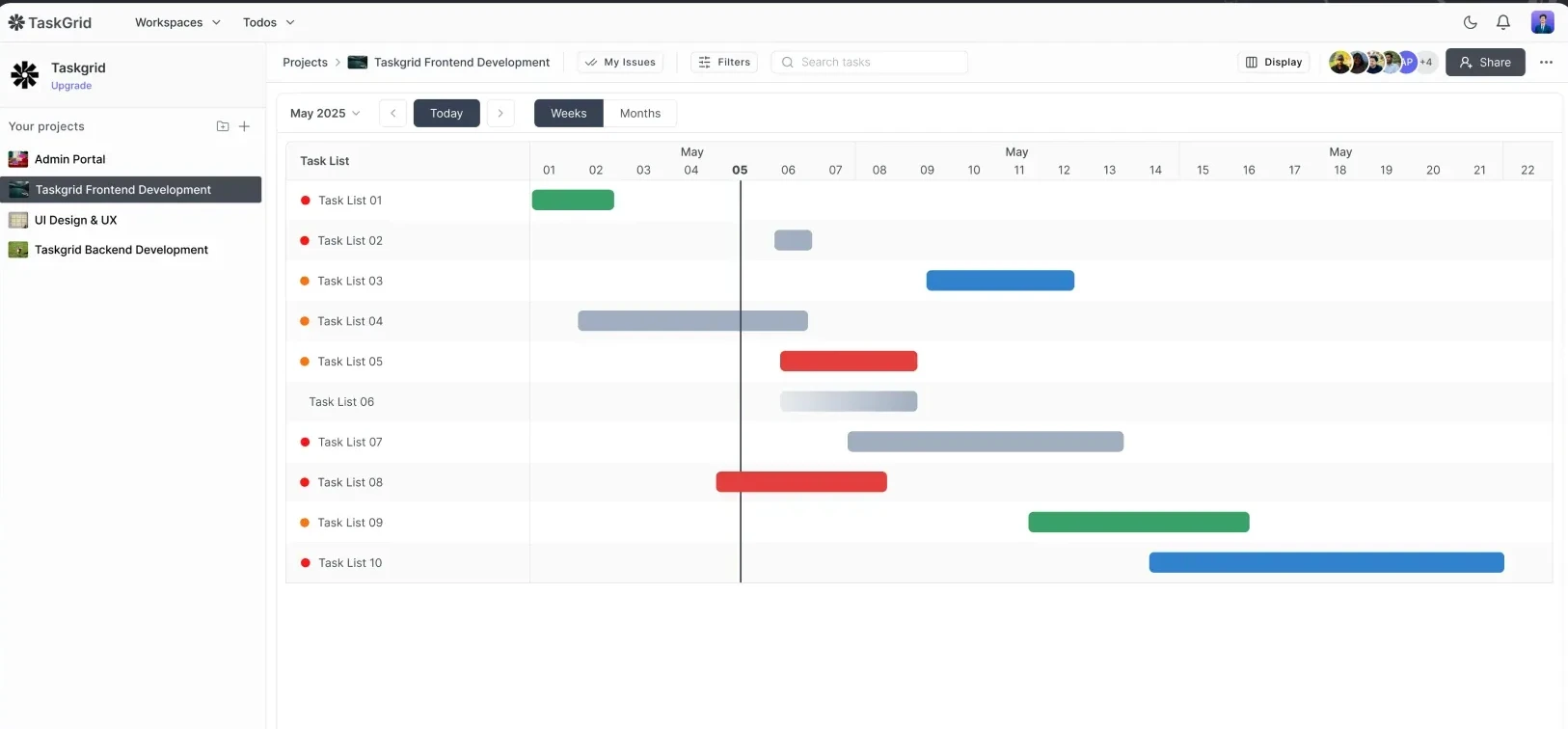
A Gantt timeline with draggable bars and dependency arrows

SVGComposables
Problem
Teams plan in time as well as in columns. A timeline has to show tasks, sprints and goals across week, month and quarter scales, and editing it has to feel as direct as the board.
How we solved it
Vue components and a useTimelineView composable. Bars drag and resize with a live date tooltip, you can drag across empty dates to create a task, and task dependencies are drawn as interactive SVG Bézier arrows.

Where this applies to you Scheduling, booking, resource planning and roadmaps: data-dense views most agencies avoid building from scratch.

Composable
useTimelineView
Editing
Drag, resize, drag-to-create
Dependencies
Interactive SVG Bézier arrows
Size
~3.3k lines across the timeline
08

GitHub App and Slack integrations, with secure OAuth

OAuthGitHub AppSlack APINestJS
Problem
Integrations are where SaaS products leak data or break silently: forged OAuth callbacks, installations linked to the wrong customer, spoofed webhooks, and pull requests moving someone else's tasks.
How we solved it
Slack OAuth uses a server-signed state. Each GitHub App installation is bound to one workspace, so repo lists never cross customers. Webhooks are verified with HMAC-SHA256 and timing-safe comparison. When a pull request opens or merges its task moves, but only after the task key is confirmed from the branch, title or body. Slack threads and task comments sync both ways.

Where this applies to you Integrations your enterprise customers' security teams will approve.

Live in app
Slack · GitHub
Connectors
Jira · Asana · Trello · Monday · Google Calendar (built, in rollout)
Secrets
AES-256-GCM encrypted at rest
Messaging
Bull queues with retries and backoff

One product, six client apps, a single real-time backend

Vue and Nuxt power the web app, the admin console and the marketing site, and the desktop app runs the same Nuxt client. Everything connects to one real-time API, designed by the same team so the pieces fit together.

TaskGrid architecture: Nuxt web app, Tauri desktop app, Nuxt admin console, Nuxt marketing site, React Native mobile app and Chrome extension connect over HTTPS and Socket.IO to the core API, which uses MongoDB, Redis and Bull, and Stripe, and exchanges jobs with a NestJS integrations service connected to Slack, GitHub and other tools.CLIENT APPSCORE PLATFORMTHIRD-PARTYWeb appNuxt · Vue 3 · PiniaPrimeVue · TipTapDesktopTauri v2 (Rust)runs the Nuxt clientAdmin consoleNuxt 3 · PrimeVueMRR · churn · LTVMarketing siteNuxt 4 SSRJSON-LD · SEOMobileReact Native · Expoin testingChrome extensionMV3 · capture andannotate → taskHTTPS + Socket.IO (JWT)Core APINode.js · Moleculer · 51 servicesSocket.IO rooms: board / chat / userPublic REST API + rate limitsOutgoing webhooks with retries5 workspace rolesMongoDB39 modelsRedis + Bullqueues · retries · backoffStripesubscriptions · webhooksIntegrations serviceNestJS 11 · TypeScript · AES-256-GCM · HMACBullSlackGitHubJiraAsanaTrelloMondayG·CalendarOAuth · webhooks · 2-way sync
Vue / Nuxt clientOther app or serviceIntegration live in appConnector built, in rollout

The whole Vue ecosystem, running in production

Your engineer won't be learning on your codebase. Each item below is running in TaskGrid today.

Nuxt hybrid rendering

A client-rendered app plus prerendered marketing routes in one Nuxt project, deployed to S3 + CloudFront on every tag.

routeRules · Nuxt 3 & 4
State with Pinia

Setup-style stores, persisted state, and an IndexedDB preloader that runs before any store starts.

store/* · pinia-plugin-persistedstate
Composition API

359 of 420 components use <script setup>. Composables hold the heavy logic, from the drag engine to the timeline and the context-menu registry.

composables/*
Performance

Virtualized columns, rAF-throttled hit-testing, stale-response guards, and memory leaks found and fixed.

vue-virtual-scroller · AbortController
Design systems

PrimeVue 4 with a custom Aura preset and Tailwind. Dark mode animates with the View Transitions API.

themes/themes.js · useTheme.js
Editors

TipTap 3 with a custom slash-command menu, bubble menu, Vue node views, file paste and drop, and @mentions.

components/editor/*
Real-time

A Socket.IO client wrapped in a Nuxt plugin and a Pinia store, joining and leaving rooms with the route and reconnecting after a token refresh.

plugins/socket.client.js
Auth and permissions

JWT access and refresh tokens, Google sign-in, 5 workspace roles × 4 board roles, route middleware and guard components.

middleware/board-access
Data visualization

13 report components (velocity, aging, workload, complexity radar) plus MRR, churn and LTV dashboards in the admin console.

ECharts 6 · Chart.js 4
PWA

An installable app with Workbox auto-update, an offline fallback, and native notifications driven by socket events.

@vite-pwa/nuxt
SEO and growth

A Nuxt 4 SSR marketing site with JSON-LD (SoftwareApplication, FAQ, Breadcrumbs), multiple sitemaps and performance tuning.

@nuxtjs/seo · nuxt-booster
Beyond the browser

The same Nuxt client runs in a Tauri desktop app with a PKCE Google sign-in bridge, plus Android App Links and credential sharing.

plugins/desktop-auth.client.js

Engineering you don't notice. A product people like using.

For years we used over-priced or faulty systems to manage our internal task management processes. Task Grid is the system we always needed though and we won't be going anywhere at this point!
Eric DunionCo-Founder, Mountainy
Task Grid has been a game changer for my workflow. I really appreciate its clear and simple layout as it is incredibly easy to understand and navigate.
Emanuel FappasFounder, OpenlyGayAnimals
TaskGrid is great! It is very user friendly, easy to navigate and understand. It allows our team to maintain optimal organization and efficiency in a simple and straightforward manner.
Joelle PlatStore Owner, Chicken Happy Hour

Reviews from TaskGrid users, published on taskgrid.io.

If you're building any of these, we've already solved the hard parts

A SaaS product or dashboard in Vue

State-heavy screens, role-based permissions, billing and analytics: the core of TaskGrid and its admin console.

5 roles · Stripe · MRR/churn/LTV dashboards

Real-time collaboration

Live boards, chat, typing indicators and notifications, with optimistic UI that stays correct when many users edit at once.

Socket.IO rooms · JWT handshake · per-room access checks

Integrations, webhooks and a public API

OAuth flows, GitHub Apps, Slack apps, signed webhooks, retries, rate limits and encrypted credential storage.

Slack & GitHub apps · HMAC verification · AES-256-GCM

One codebase on web, desktop and mobile

A Nuxt client reused in a native desktop shell, native sign-in, deep links, and rich text that round-trips between platforms.

Tauri v2 · PKCE sign-in · Android App Links

A Nuxt site that has to rank and convert

SSR, structured data, sitemaps and Core Web Vitals tuning, with analytics and ads tracking wired in properly.

Nuxt 4 · @nuxtjs/seo · JSON-LD · nuxt-booster

A legacy Vue app that needs rescuing

Vue 2 → 3 or Nuxt 2 → 3/4 migrations, Options → Composition API, Vuex → Pinia. We swapped TaskGrid's whole editor from Quill to TipTap while users kept working.

Vue 3 · Nuxt 3 & 4 · Composition API · incremental migrations

Questions teams ask before hiring

Will the engineers who built TaskGrid work on my project?

VueSquad is powered by the same senior engineers who built and still maintain TaskGrid. They bring the patterns, standards and review process you've seen on this page.

Do you only do frontend?

Vue and Nuxt are our core, but TaskGrid shows the whole picture: Node.js and NestJS APIs, real-time infrastructure, integrations, Stripe billing and CI/CD. When your frontend work touches the backend, we can handle both.

Can you take over or migrate an existing Vue 2 or Nuxt 2 codebase?

Yes. Migrations and long-term maintenance are core VueSquad work: Vue 2 → 3, Options → Composition API, Vuex → Pinia, Nuxt 2 → 3/4, done step by step. On TaskGrid we replaced the whole editor while users kept working.

Can you build real-time features in Vue?

Yes. TaskGrid's boards, chat and timers update live through Socket.IO rooms, with a Nuxt plugin and a Pinia store on the client and JWT-checked access on the server.

Nuxt 3 or Nuxt 4?

Both. TaskGrid's web app and admin console run on Nuxt 3, and its marketing site runs on Nuxt 4. We can start a new project on Nuxt 4 or work in an existing Nuxt 3 codebase.

How do we start?

Send us a short note on the contact page about what you're building and where you're stuck. We'll set up a call to go through your product and codebase.

Get started

Want the TaskGrid team working on your Vue app?

Talk to the engineers who built and still run TaskGrid. Tell us what you're building and where it's stuck.

Matched in 24 hours·48 hours free on every plan·No long-term contract